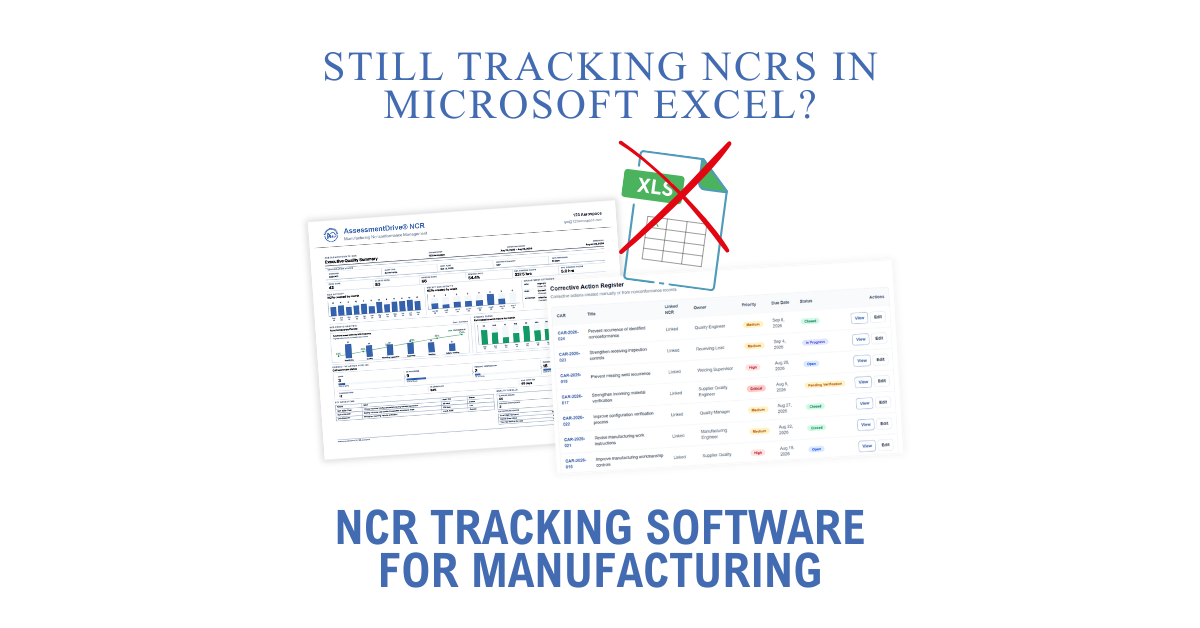
For many manufacturers, the need for NCR tracking software for manufacturing becomes apparent as a simple nonconformance process grows increasingly difficult to manage.
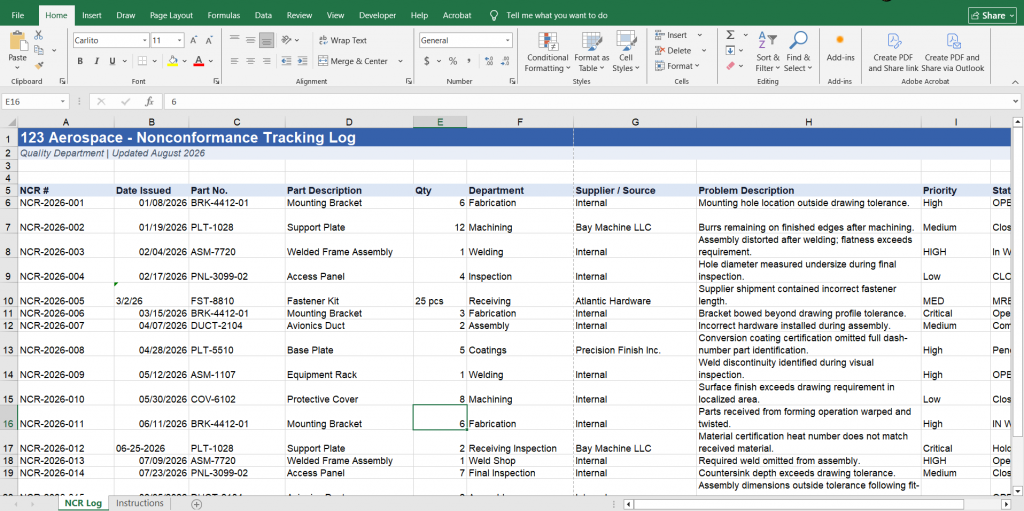
An NCR is entered into a spreadsheet. Someone updates the status. Another worksheet tracks corrective actions. Quality builds a chart for the monthly meeting. Supplier issues may live somewhere else entirely.
For a small number of records, this can work.
As NCR activity grows, however, the spreadsheet often becomes more work to maintain than the quality data itself.
This is where NCR tracking software for manufacturing can provide a practical alternative.
The Problem Isn’t Excel
Excel is an extremely capable tool. The problem is asking a spreadsheet to function as an NCR system.
A spreadsheet can record an NCR number, part number, date, disposition, status, supplier, responsible person, and other information.
But recording the information is only part of the process.
Quality teams also need to answer questions such as:
- Which NCRs are still open?
- Where are most nonconformances occurring?
- Are the same problems recurring?
- Which suppliers are generating the most quality issues?
- Which corrective actions remain open?
- How long are NCRs taking to close?
- What happened during the last quarter?
- What information needs to be presented during management review?
Answering those questions often requires filtering records, updating formulas, maintaining pivot tables, creating charts, checking separate files, or manually assembling reports.
The NCR spreadsheet gradually becomes a small database maintained by the quality department.
NCR Tracking Should Do More Than Store Records
A useful NCR system should make the information entered during normal quality activities useful later.
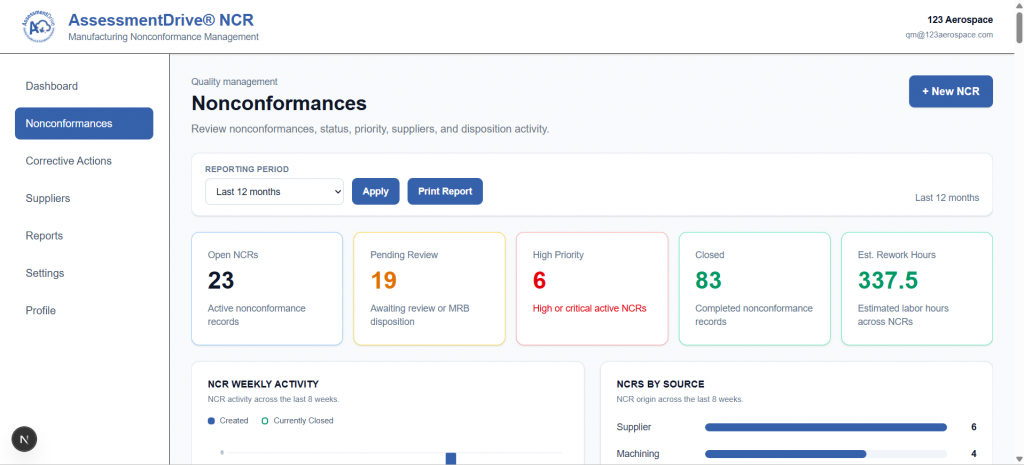
When an NCR is created, information such as the functional area, supplier, priority, quantity, status, disposition, and date already provides valuable quality data.
The system should organize this information automatically.
Instead of maintaining a separate reporting workbook, quality personnel should be able to record the event once and use the same data for monitoring and reporting.
This is one of the primary advantages of dedicated NCR tracking software for manufacturing.
The NCR becomes more than a record.
It becomes part of the organization’s quality data.
From Individual NCRs to Quality Trends
Looking at NCRs individually is necessary for controlling specific problems.
Looking at them collectively is how organizations identify patterns.
Consider a manufacturer with 40 NCRs recorded during the past six months.
Reading those 40 records individually may provide little indication of where the largest problem exists.
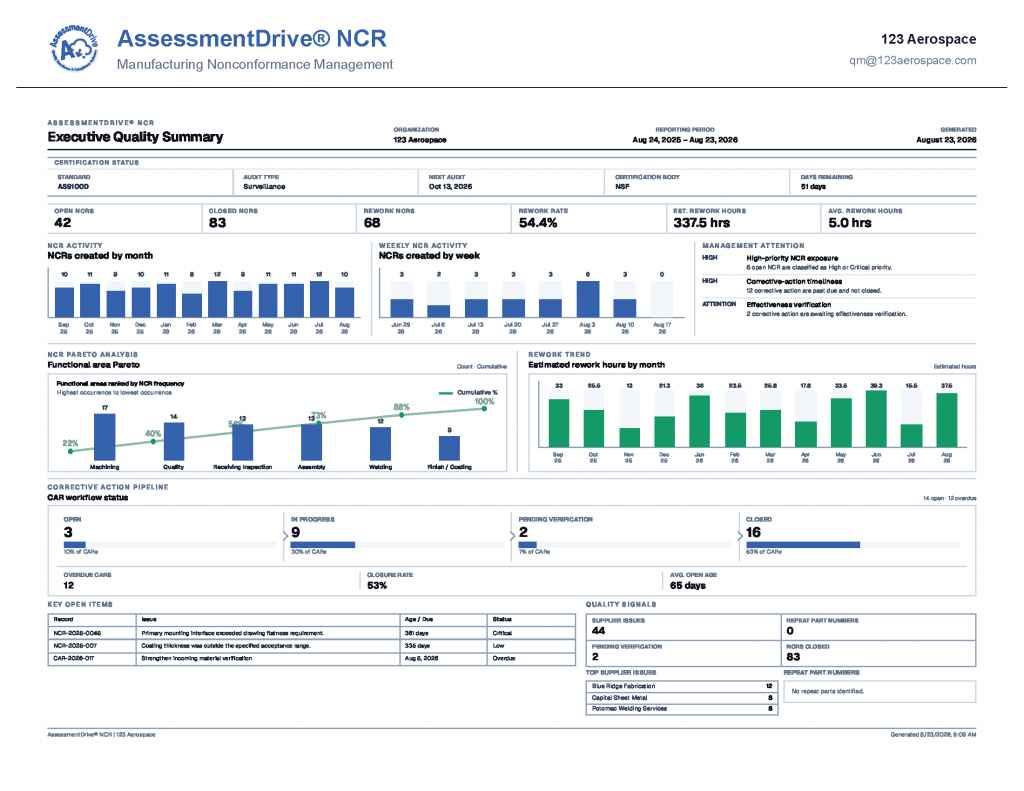
Organize the same records by functional area, however, and a pattern may become obvious.
Perhaps machining represents 45% of NCR activity.
Maybe receiving inspection suddenly increased during the last two months.
Perhaps one supplier accounts for a disproportionate number of supplier-related NCRs.
This is where Pareto analysis, monthly activity trends, supplier performance data, and other quality metrics become valuable.
The data already exists.
The challenge is making it usable without continually rebuilding the analysis.
Corrective Actions Need Visibility Too
Not every NCR requires a formal corrective action.
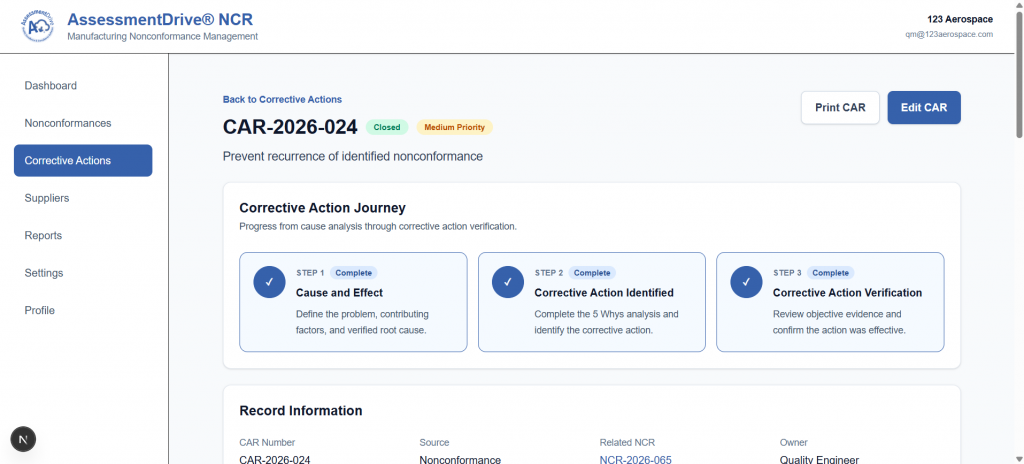
When one does, however, the relationship between the original nonconformance and the corrective action should remain clear.
Quality personnel should be able to determine why the corrective action was initiated, its current status, what root cause was identified, what action was taken, and whether effectiveness was verified.
When NCRs and corrective actions are maintained in separate spreadsheets, documents, folders, and email threads, following this history becomes more difficult.
A connected system provides a clearer path from the original problem through investigation and closure.
Supplier Quality Is Part of the Same Picture
Supplier performance can create another layer of manual tracking.
A supplier-related NCR may be recorded in the NCR log while supplier performance is evaluated somewhere else.
This separates two pieces of information with an obvious relationship.
If NCR records identify the responsible supplier, those records can contribute to the organization’s understanding of supplier quality performance.
The goal is not simply to accumulate supplier data.
It is to make existing quality information easier to evaluate.
Reporting Shouldn’t Become a Separate Quality Process
One of the clearest signs an NCR system has become inefficient is the amount of work required to report on it.
Quality personnel may spend considerable time preparing information for:
- Management review
- Internal audits
- Customer requests
- Supplier reviews
- Monthly quality meetings
- Corrective action follow-up
- Performance monitoring
The underlying data may already exist in the NCR log.
The work comes from turning it into something useful.
A dedicated NCR system can reduce this duplication by making reporting part of the normal workflow rather than a separate exercise performed after the fact.
What to Look for in NCR Tracking Software
Manufacturers evaluating an NCR system do not necessarily need a massive enterprise QMS.
The better question is whether the system makes the organization’s existing quality process easier to control.
Useful capabilities can include centralized NCR records, corrective action tracking, supplier records, configurable workflows, role-based access, reporting, Pareto analysis, audit history, document support, and data import capabilities.
Ease of use matters as much as the feature list.
If recording a nonconformance requires navigating through numerous screens and unnecessary fields, employees may resist using the system.
The objective should be simple:
Record the quality event once. Use the information everywhere it is needed.
Moving Beyond the NCR Spreadsheet
Spreadsheets often remain in use because they are familiar, flexible, and already available.
There is nothing inherently wrong with managing a small NCR log in Excel.
The point where organizations should reconsider the approach is when maintaining the spreadsheet, generating reports, tracking corrective actions, evaluating suppliers, and preparing quality metrics begin consuming significant time.
At that point, the organization is no longer maintaining a simple NCR log.
It is manually operating a quality information system.
AssessmentDrive NCR is being developed specifically around this problem: providing manufacturers with a focused environment for NCRs, corrective actions, suppliers, quality reporting, and the records needed to support an effective quality system.
The objective is not to replace every part of a QMS.
It is to make one of its most frequently used processes considerably easier to manage.