For many small and mid-sized manufacturers, nonconformance management begins with familiar tools: spreadsheets, shared documents, PDF forms, email, or a basic internal database.
These tools can work well when NCR volume is low. As operations grow, however, managing the records can become increasingly time-consuming.
Quality personnel are no longer simply documenting nonconformances. They are maintaining NCR logs, monitoring open records, tracking corrective actions, reviewing supplier performance, updating metrics, building Pareto charts, identifying recurring issues, and preparing information for management review.
This is where nonconformance management software can provide value.
Rather than treating NCR documentation, corrective action, supplier quality, and reporting as separate administrative activities, a dedicated system can connect them into a single quality workflow.
What Is Nonconformance Management Software?
Nonconformance management software is designed to help organizations document, track, investigate, disposition, and analyze products or processes that fail to meet specified requirements.
In a manufacturing environment, an NCR may originate from receiving inspection, in-process inspection, final inspection, supplier issues, customer feedback, or another quality activity.
The NCR itself is only part of the process.
Quality personnel may also need to determine disposition, document responsibility, monitor aging records, initiate corrective action, identify recurring problems, evaluate suppliers, and report quality performance to management.
A dedicated nonconformance management software system provides a central location for managing this information.
When Spreadsheets Become Difficult to Maintain
Spreadsheets remain one of the most common methods for tracking NCRs.
There is nothing inherently wrong with using Excel for quality data. A well-designed spreadsheet can provide considerable functionality.
The difficulty comes from the work required to maintain it.
Consider a monthly NCR report.
The organization may already have all the necessary information in its NCR log, but someone still needs to filter the reporting period, organize the data, verify formulas, update charts, calculate metrics, prepare a Pareto analysis, and format the results for presentation.
Repeat the process the following month.
The data already exists. Quality personnel are spending additional time converting it into useful information.
As NCR volume increases, spreadsheets can also become more difficult to navigate, standardize, and maintain across multiple users.
NCR Data Should Provide More Than a Record
Every NCR contains useful information about manufacturing performance.
A collection of NCR records should help answer questions such as:
- Where are the majority of nonconformances occurring?
- Which issues occur repeatedly?
- How many NCRs remain open?
- How long have NCRs remained open?
- Which functional areas contribute the most NCRs?
- Are corrective actions being completed?
- Are certain suppliers contributing disproportionately to quality problems?
- What issues require management attention?
If answering these questions requires manually reorganizing NCR data each time someone asks, the organization may benefit from a more integrated approach.
Effective nonconformance management software should help transform individual NCR records into usable quality information.
Connecting NCRs and Corrective Actions
Not every nonconformance requires a formal corrective action.
When corrective action is necessary, however, the relationship between the NCR and the corrective action should remain clear.
Quality personnel should be able to move from the original nonconformance into the associated investigation, root cause, corrective action, and effectiveness verification without maintaining disconnected records.
This creates a more complete history of the issue and reduces the administrative effort required to determine what happened after an NCR was generated.
Supplier Quality Is Part of the Picture
Supplier-related nonconformances can also provide valuable performance information.
An individual supplier NCR identifies a specific problem. Multiple NCRs over time can reveal something more important: a trend.
Connecting supplier information with NCR activity can help quality personnel identify suppliers associated with recurring issues, review historical performance, and determine where additional supplier oversight may be appropriate.
Instead of maintaining separate NCR logs, supplier spreadsheets, and reporting files, the information can become part of the same quality management environment.
From NCR Entry to Quality Reporting
One of the primary opportunities for nonconformance management software is reducing duplicate administrative work.
The information entered while creating and managing an NCR already contains much of what is needed for quality reporting.
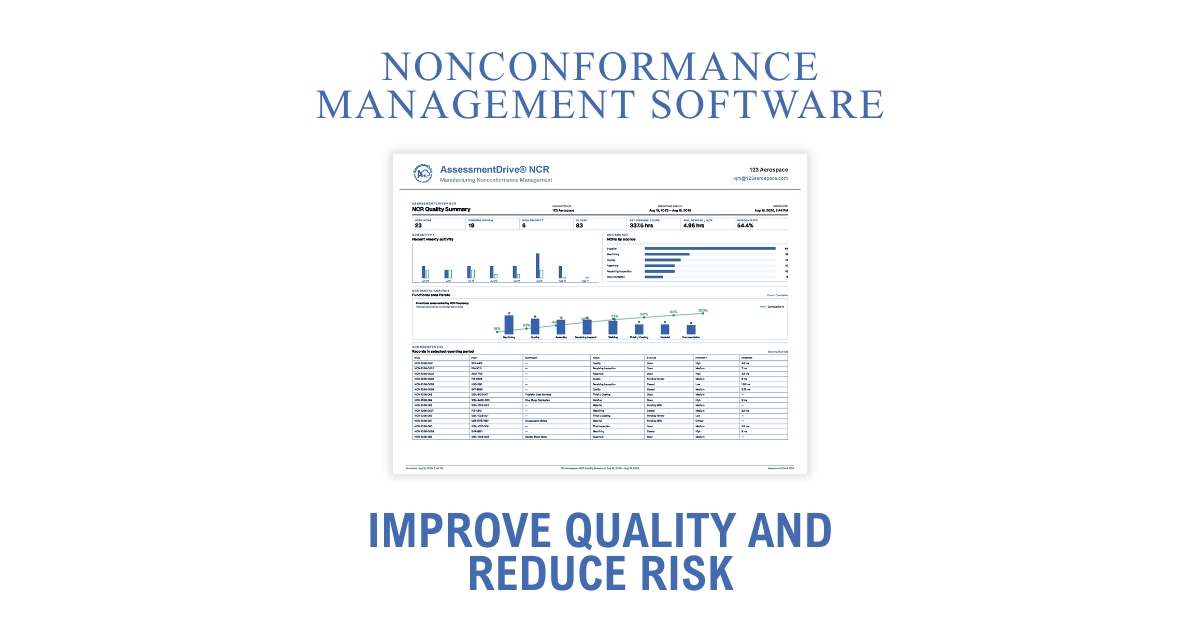
A reporting system can use this information to provide:
- NCR activity over time
- Open and closed NCR status
- NCR aging
- Corrective action activity
- Pareto analysis
- Functional-area trends
- Supplier performance information
- Recurring quality issues
- Management-level quality summaries
This changes reporting from a separate data-preparation exercise into an extension of the NCR process itself.
Enter the information once. Use it throughout the quality workflow.
Nonconformance Management Software for AS9100 and ISO 9001 Environments
Manufacturers operating within AS9100 or ISO 9001 quality management systems need more than a convenient place to store NCRs.
Nonconforming outputs must be controlled and documented appropriately, while organizations also need processes for corrective action, performance evaluation, analysis, and continual improvement.
Software does not create an effective quality management system on its own.
It can, however, make the system easier to operate.
For smaller organizations in particular, the objective does not necessarily need to be implementing a large enterprise QMS platform.
A focused system can provide structured NCR management and useful quality reporting without introducing unnecessary complexity into the quality department.
Introducing AssessmentDrive NCR
AssessmentDrive NCR is being developed as focused nonconformance management software for manufacturing quality teams.
The system is designed around the practical activities quality personnel perform when managing nonconformances, corrective actions, suppliers, and quality reporting.
The objective is straightforward:
Record quality information once and make it useful throughout the quality process.
AssessmentDrive NCR brings together NCR management, corrective actions, supplier quality information, Pareto analysis, quality metrics, and reporting within a centralized system.
Rather than requiring quality personnel to maintain an NCR record and then recreate the same information for reporting, the system uses the records already being generated to build a broader picture of quality performance.
AssessmentDrive NCR Pre-Release
AssessmentDrive NCR is currently approaching its demonstration release.
Before making the software more broadly available, AssessmentDrive is providing a limited number of quality professionals with access to evaluate the system and provide practical feedback.
This early evaluation is intended to answer an important question:
Does the software make nonconformance management easier for the people who actually manage it?
Feedback from quality professionals will be used to evaluate workflow, usability, reporting, and the features needed for the initial release.
For manufacturers currently managing NCRs through spreadsheets, forms, shared files, or disconnected systems, AssessmentDrive NCR is being developed as a more focused approach to nonconformance management software.