
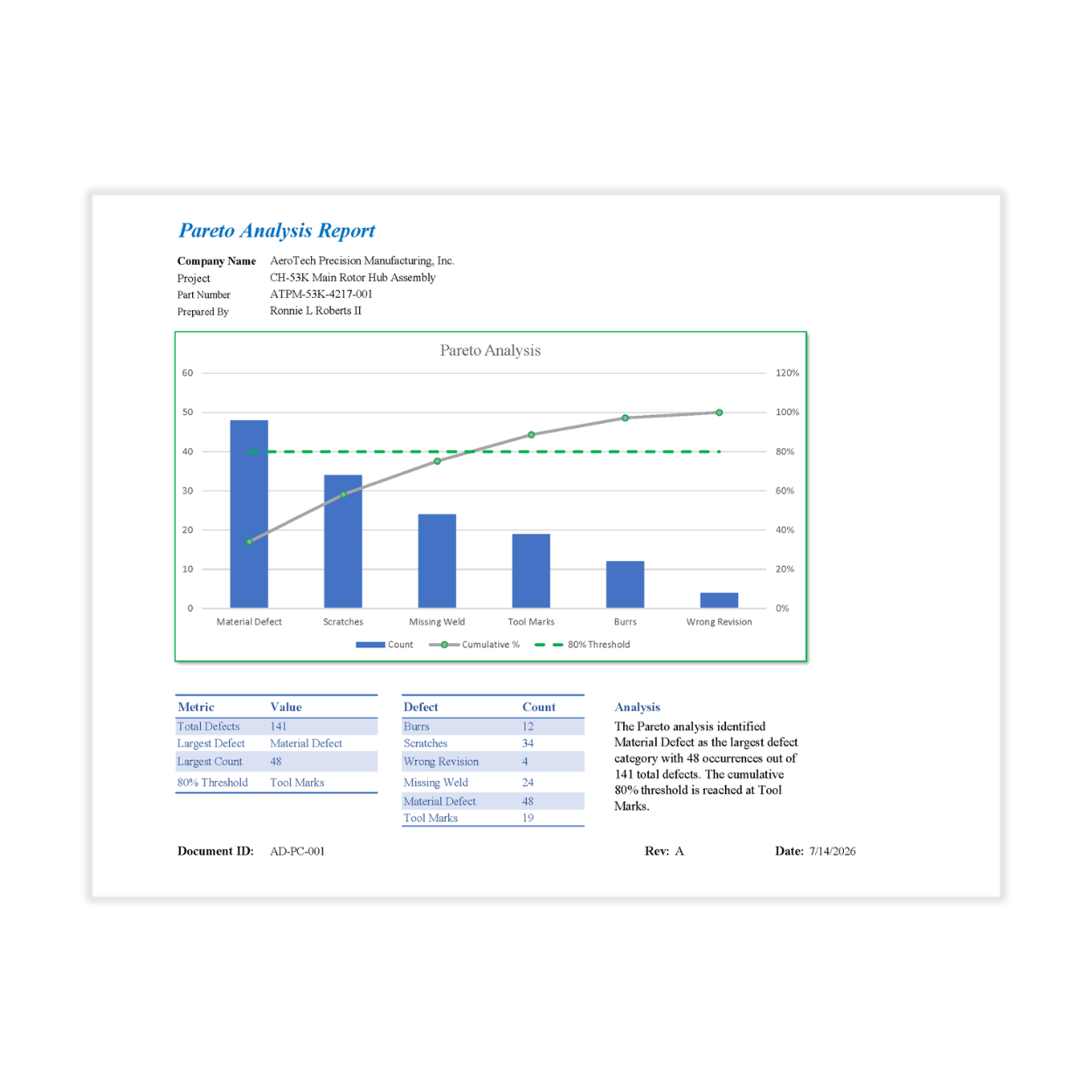
Save hours of manual chart creation, standardize defect reporting, and quickly identify the issues driving the greatest impact on quality.
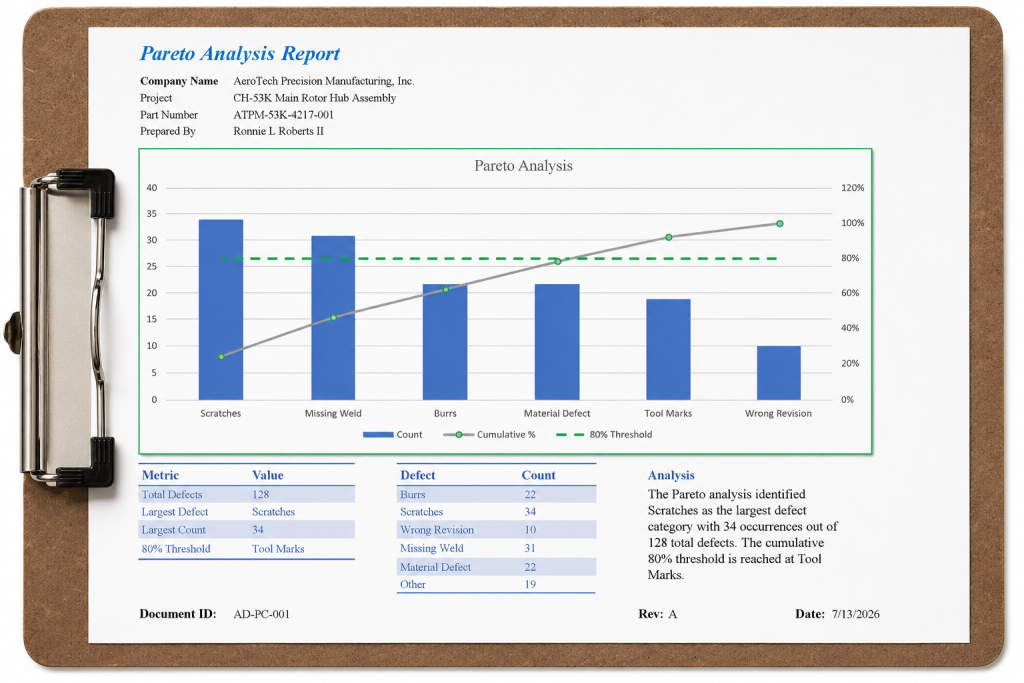
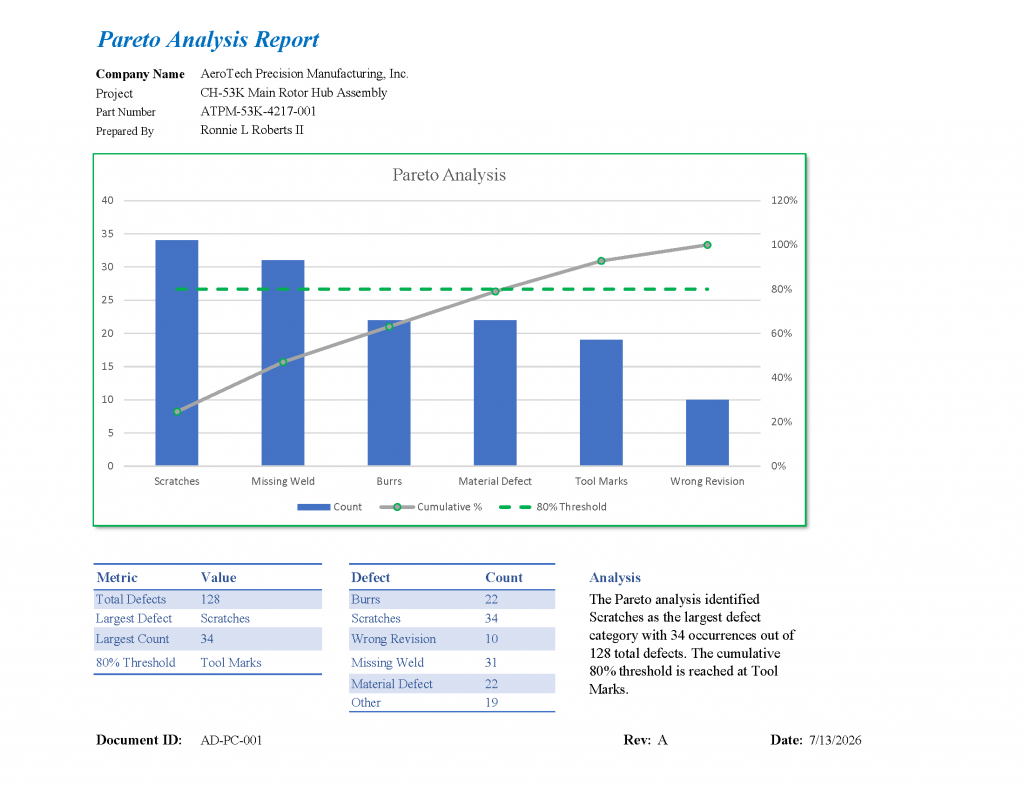
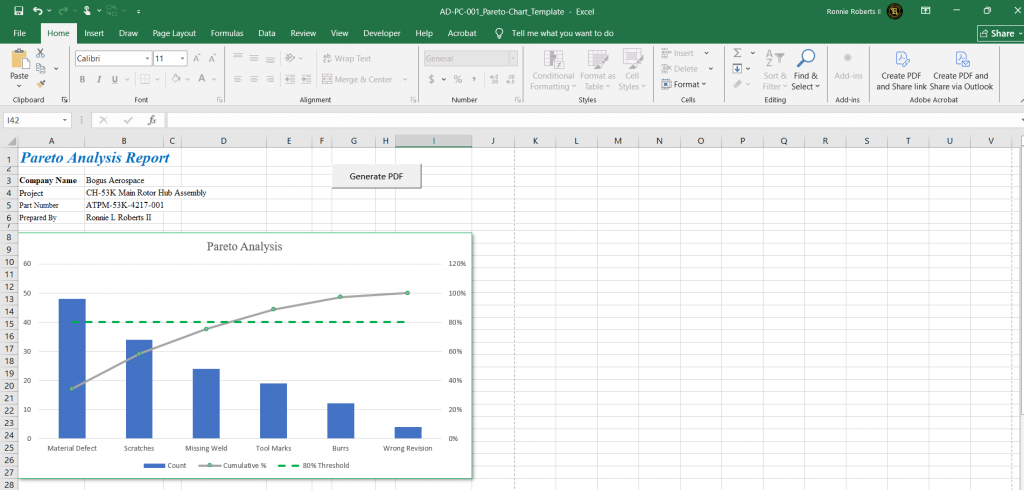
Quickly identify the defects having the greatest impact on quality with a professional Pareto chart Excel template analysis workbook designed for manufacturing, aerospace, defense, machining, and production environments. Simply enter defect data to generate a polished Pareto chart and management-ready report in minutes. For clarity and ease of interpretation, this template supports up to six defect categories.
Features
- Automated Pareto chart with 80/20 analysis
- Automatic percentage and cumulative calculations
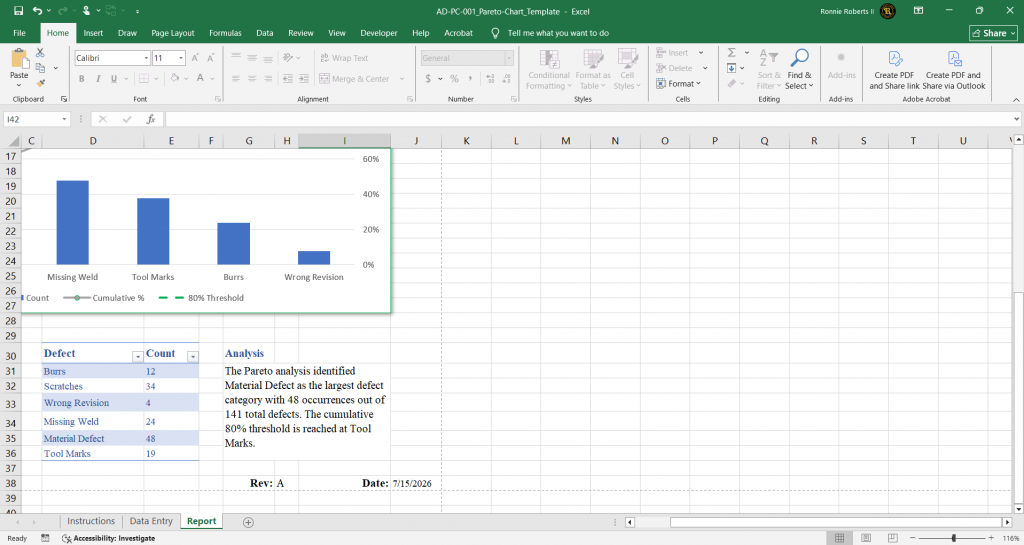
- Automatic defect ranking
- One-click PDF report generation
- Executive summary and key findings
- Protected workbook structure
- Simple, guided data entry
- Sample manufacturing data included
Ideal For
- AS9100 and ISO 9001 quality systems
- Continuous improvement initiatives
- Root cause analysis
- Production defect tracking
- Supplier quality reporting
- Lean and Six Sigma projects
- Management review meetings
Included
- Macro-enabled Excel workbook (.xlsm)
- User instructions
- Sample manufacturing data
- Professional report template
- Automated PDF export
- AD-WI-001 Adapting and finalizing records reference
System Requirements
- Microsoft Excel Desktop (2019 or later)
- Windows operating system recommended
- Macros enabled for automatic sorting and one-click PDF generation
Frequently Asked Questions
Do I need to enable macros?
Yes. Macros are required for automatic sorting and one-click PDF generation.
What if my organization blocks macros?
The workbook can still be used for data entry and analysis. If your organization restricts macros, contact your IT department to enable trusted macro-enabled workbooks or use a trusted location. Reports can still be exported manually using Excel’s built-in Save as PDF feature.
Will this work in Excel Online or Google Sheets?
No. VBA macros are not supported in Excel Online, Google Sheets, or Apple Numbers. Microsoft Excel Desktop is required.
Can I customize the defect categories?
Yes. The workbook allows you to rename the defect categories to match your products, processes, or inspection requirements.
Can I use this for industries other than aerospace?
Yes. Although designed with manufacturing quality in mind, the template is suitable for any industry using Pareto analysis to prioritize defects or process issues.
Is VBA knowledge required?
No. The workbook is designed for end users. No programming or VBA experience is necessary.
Is the workbook protected?
Yes. Critical worksheets and formulas are protected to help preserve calculations while allowing users to enter and update project data.
Does the workbook create a printable report?
Yes. A professional report is generated and can be exported to PDF for meetings, management reviews, corrective actions, or customer documentation.
Benefits
- Reduce time spent creating Pareto charts.
- Standardize quality reporting.
- Prioritize improvement efforts using the 80/20 principle.
- Produce professional reports in minutes.
- Improve communication with management and customers.
- Eliminate repetitive spreadsheet formatting and calculations.