AssessmentDrive® FAQs
Most frequent questions and answers about our revisable digital and physical compliance kits.
The toolkit was developed by Ronnie Lee Roberts II, a seasoned professional in Department of Defense (DoD) quality systems. Since 2017, Ronnie has supported programs at Patuxent River and Webster Field (NAWCAD/NAVAIR), working as a certified AS9100:2016 Rev D Lead Auditor, ISO/IEC 20000-1:2018 Lead Auditor (TPECS), and a Certified CMMI® Associate. His background spans technical writing, document control, CAD design, logistics, graphic design, and quality assurance—specializing in audit readiness and contract compliance. This experience ensures every element of the kit is designed for real-world, high-stakes environments.
The AssessmentDrive® kit is built for aerospace and defense companies preparing for IA9100 implementation, recertification, or internal audits. It’s ideal for quality managers, compliance leads, and operations teams who want a structured, actionable toolkit.
Yes. All forms, templates, trackers, and checklists are fully editable in Word, Excel, or PDF (where applicable). You can customize documents to reflect your internal structure and terminology.
No. Most templates are editable in Acrobat/PDF Viewer, Microsoft Word, Excel, Google Docs, or Canva (free online software). No subscriptions or advanced skills needed.
No. It’s a one-time purchase. You own the files and can use them as often as you need. No login or recurring billing required.
Yes. You can add your logo to any form/guide within this kit. Standard orders come with the AssessmentDrive® font and color palette package, which can be revised if desired and swapped with internal branding due to their white label features. We also offer customized documentation services (adds 1-2 weeks for processing).
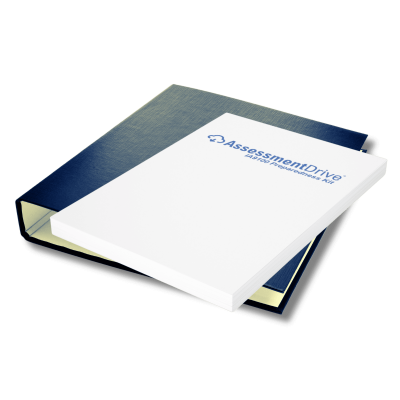
The physical kit comes standard with an encrypted 32gb USB-C/A dual drive and cloud access. This allows for ample storage for audit preparation or other data storage. There is also an all-cloud version available.
Due to the digital nature of our products, all sales are final. If you encounter any issues with your purchase, please contact our support team for assistance.
Yes. Google accounts are free and can be created by visiting this link
No. The kit complements formal training programs (if desired). While credible courses explain IA9100 requirements conceptually, AssessmentDrive® provides ready-to-use tools—gap assessments, templates, trackers, and audit prep checklists—to help your team apply what they’ve learned. This kit aims to assess and provide the tools needed to prep quality and compliance teams – not replace industry professional knowledge.
Yes. Your purchase includes unlimited internal use—meaning your entire team can access, edit, and deploy the materials across departments via cloud access and file sharing.
AssessmentDrive® is a self-guided, ready-made toolkit. It empowers internal teams to perform gap analyses, assign clause owners, and prepare for audits independently.
Yes. The materials are mapped directly to the changes from AS9100D to IA9100 and include side-by-side clause comparisons, updated documentation templates, and practical implementation tools based on information released by the International Aerospace Quality Group (IAQG) per clause-by-clause comparison.
R.L. Roberts II Design, LLC provides digital templates, checklists, ContractorToolkit® and AssessmentDrive® products as guidance tools only. Our Privacy Policy explains how we collect, use, and protect your information. Our Compliance Disclaimer clarifies that we are not affiliated with SAE, ISO, IAQG, or any certification bodies, and we do not guarantee passing any audit or certification.
Using Adobe software—developed and maintained in the United States—supports data security, compliance alignment, and professional quality. Federal and defense contractors value this because Adobe’s platforms meet U.S. standards for reliability, export control, and FedRAMP authorization. It ensures your documentation is produced within a trusted domestic ecosystem while maintaining consistent, audit-ready quality.
Encryption: Adobe Acrobat uses 128- or 256-bit AES encryption for password protection. Word offers encryption too, but PDF encryption is more standardized and portable.
Digital signatures: PDFs natively support cryptographically bound signatures and certificate validation (PAdES, FIPS 140-2 compliance). Word supports digital signatures but with less interoperability.
Permission control: PDFs allow granular rights (printing, copying, editing). Word’s protection is easier to bypass or lost when exporting.
Integrity: Once finalized, a PDF’s layout and content are fixed. Word files remain editable, making tampering harder to detect.
All AssessmentDrive templates use Adobe’s native PDF security controls. Each file is locked to prevent unauthorized editing while keeping form fields fillable. Original source files stay on encrypted local storage and are never distributed publicly.
Yes. Every controlled template contains embedded metadata fields for revision ID, author, and version date. These align with AS9100D Clause 7.5 documentation-control requirements and provide audit traceability.
Yes. All files work natively in Adobe Acrobat and Reader. Users can fill forms digitally without altering locked sections or compliance data, ensuring secure use in regulated environments.
hey embed clause-specific controls required by 7.5 (Documented Information), 8.1.4 (Counterfeit Parts), and 8.4 (Supplier Control). Metadata fields track document ID, revision, author, and approval—meeting traceability and revision-control obligations.
Each file is built with Adobe PDF security controls that prevent unauthorized editing. Form fields remain fillable, but structure and revision data are locked. Files can include digital signatures, encryption, and watermarking for traceable authenticity.